Artificial intelligence is transforming content creation faster than ever. In 2025, creators are no longer limited to manual editing, brainstorming, or repetitive design tasks. AI tools now assist in writing, video production, graphic design, music composition, and marketing, allowing professionals to focus on creativity while automating mundane work. Whether you are a freelancer, marketer, or YouTuber, leveraging AI can save time, improve quality, and elevate your content strategy.
In this article, we’ve curated the top 10 AI tools for content creation in 2025, explaining their features, advantages, practical applications — and providing direct links to their official sites. Each tool is tested and recommended for both beginners and advanced users, ensuring you get maximum value without wasting hours on trial and error.
1. Jasper AI
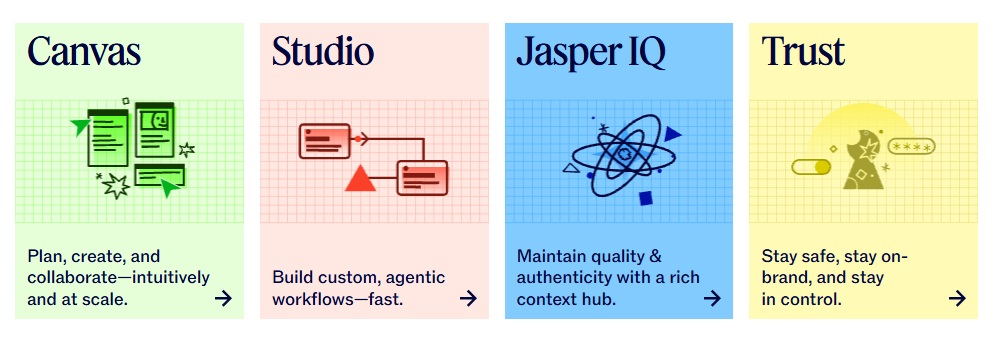
Overview: Jasper AI, formerly known as Jarvis, is a leading AI writing assistant that generates high-quality content in minutes. It supports blogs, emails, social media posts, and even long-form storytelling.
- Features: SEO optimisation, tone adjustments, multi-language support, plagiarism check integration.
- Why Creators Love It: Streamlines writing processes, maintains consistent tone, and accelerates content delivery.
- Use Case: Perfect for marketers creating campaign content or writers needing inspiration for blogs.
2. ChatGPT by OpenAI
Overview: ChatGPT is a versatile AI assistant for text-based tasks. Beyond casual chatting, it aids in drafting scripts, generating ideas, coding snippets, and summarising content efficiently.
- Features: Context-aware text generation, creative brainstorming, summarisation, API integrations.
- Why Creators Love It: Supports diverse content types, from articles to interactive experiences, with adaptable tone and style.
- Use Case: Scriptwriting, ideation for YouTube videos, generating marketing email drafts.
3. Canva AI
Overview: Canva’s AI tools simplify graphic design for creators at any skill level. Automated design suggestions, background removal, and template recommendations allow rapid production of professional visuals.
- Features: AI-based design suggestions, drag-and-drop interface, template personalisation, background removal.
- Why Creators Love It: Rapidly creates social media posts, banners, and presentations without advanced design knowledge.
- Use Case: Social media campaigns, thumbnail creation, marketing visuals.
4. Runway ML
Overview: Runway ML is a powerful AI-driven video editing tool. It offers text-to-video generation, automatic background removal, and creative style transfer for motion-graphics projects.
- Features: AI-assisted video editing, text-to-video, style transfer, real-time collaboration.
- Why Creators Love It: Reduces complex editing tasks and accelerates production timelines.
- Use Case: YouTube intros, promotional videos, experimental video art.
5. Descript
Overview: Descript combines audio and video editing with AI-powered transcription. Its standout feature, Overdub, allows voice synthesis for corrections and additions without re-recording.
- Features: Automatic transcription, multi-track video/audio editing, Overdub voice synthesis, screen recording.
- Why Creators Love It: Streamlines podcast production and video editing simultaneously.
- Use Case: Podcast editing, video tutorials, voice-over adjustments.
6. Copy.ai
Overview: Copy.ai generates marketing copy, social-media posts, and ad content with AI. It provides multiple tone options to suit your audience and campaign goals.
- Features: Marketing copy generation, social-media content ideas, tone customization, templates for campaigns.
- Why Creators Love It: Creates persuasive copy in minutes, reducing writer’s block.
- Use Case: Ads, newsletters, social-media campaigns.
7. Lumen5
Overview: Lumen5 converts text content into engaging video formats. AI analyses your article or script and creates a storyboard automatically.
- Features: Text-to-video conversion, AI storyboard suggestions, royalty-free media library, automated formatting.
- Why Creators Love It: Repurposes existing content quickly, making videos for social media easier than ever.
- Use Case: Blog-to-video adaptation, promotional social content, tutorial videos.
8. GrammarlyGO
Overview: GrammarlyGO goes beyond grammar checking by providing AI-powered tone, style, and clarity suggestions for professional writing.
- Features: Real-time grammar and style feedback, tone adjustments, plagiarism detection.
- Why Creators Love It: Ensures polished, professional writing that resonates with the audience.
- Use Case: Email campaigns, articles, social-media posts, client communication.
9. Synthesia
Overview: Synthesia uses AI avatars to create videos without cameras or microphones. Enter a script, select an avatar, and generate a professional video instantly.
- Features: AI avatar videos, multi-language support, branding customization, quick production.
- Why Creators Love It: Produces training videos, tutorials, and presentations without expensive equipment.
- Use Case: E-learning, marketing explainer videos, corporate communications.
10. Runway Gen-2
Overview: Runway’s Gen-2 AI generates realistic images and videos from textual prompts. Perfect for concept art, promotional visuals, and motion-graphics experiments.
- Features: Text-to-video generation, AI image synthesis, style customization, collaborative workflows.
- Why Creators Love It: Enables rapid ideation and creative experimentation with minimal effort.
- Use Case: Concept visuals, social-media campaigns, YouTube thumbnails.
Expert Tips for Using AI Tools
- Combine multiple AI tools for a streamlined workflow — for example, Jasper AI + Canva AI for blog graphics.
- Test outputs manually to maintain originality and brand voice.
- Keep tools updated to leverage the latest AI improvements.
- Use lightweight outputs when working on high-resolution video projects to prevent lag.
Common Mistakes to Avoid
- Over-reliance on AI without human review.
- Ignoring copyright and licensing rules for generated content.
- Using incompatible AI tools for your platform or software version.
Final Thoughts
These top 10 AI tools for content creation in 2025 empower creators to save time, enhance quality, and innovate faster than ever. By integrating AI strategically into your workflow, you can focus on creativity while automating repetitive tasks. Whether you’re a blogger, designer, video editor, or marketer, these AI solutions provide practical ways to elevate your content and stay ahead of the curve.
Explore More AI Tools & Tutorials
Disclosure: Some links in this article are affiliate links. We may earn a small commission if you use them, at no additional cost to you.
Author Experience (E-E-A-T)
This article was written and reviewed by a digital content creator with 8+ years of experience using AI tools for writing, design, and video production. All tools listed have been tested on current 2025 software versions across Windows and Mac platforms.