Vozo AI is an emerging AI-powered video translation and dubbing platform that allows creators, marketers, and educators to convert their videos into different languages while maintaining natural voice tone and accurate lip-sync. If you’ve ever wished to publish a video for audiences in Spain, India, Japan, or the Middle East without hiring translators, voice actors, or opening a studio, Vozo AI could be one of the smartest shortcuts you’ll discover in 2025. With multilingual distribution becoming a growth hack for YouTube channels and online courses, tools like Vozo AI are no longer optional—they’re becoming essential.
Table of Contents
- What Is Vozo AI?
- Why Vozo AI Is Gaining Attention in 2025
- How Vozo AI Works
- Key Features of Vozo AI
- Best Use Cases
- Vozo AI Pricing
- Vozo AI vs HeyGen
- Real-World Examples of Vozo AI in Action
- Performance Benchmarks
- Best Practices for Better Results
- Limitations
- Best Alternatives to Vozo AI
- How to Use Vozo AI (Step-by-Step)
- Final Thoughts
- FAQ
What Is Vozo AI?
Vozo AI is an online platform that uses artificial intelligence to translate videos into multiple languages while preserving the speaker’s facial movements and tone. Instead of adding subtitles or robotic synthetic voices, Vozo AI recreates your voice in a new language and synchronizes lip movements so the viewer feels the video was originally recorded in that language.
Why Vozo AI Is Gaining Attention in 2025
The demand for multilingual content has exploded. YouTube reported that non-English audiences now represent over 60% of global watch hours. International creators are making more money than ever by publishing the same video in multiple languages. Historically, doing this required expensive voice actors, editors, or local studios. Vozo AI removes these barriers entirely by turning one video into multiple localized versions in minutes. That’s why the tool suddenly appeared in Google Trends as a Breakout topic.
How Vozo AI Works
Vozo AI uses a multi-layer AI pipeline:
- Speech Recognition – extracts the speaker’s voice and script
- Neural Translation – converts the content into a new language using contextual language models
- Voice Cloning – recreates the tone and delivery of the original speaker
- AI Lip-Sync Engine – adjusts facial motion so lip movements match the new audio
The result feels surprisingly natural—especially for short-form videos such as YouTube Shorts, TikTok clips, and promotional content.
Key Features of Vozo AI
- Automatic video translation
- Realistic lip-sync editing
- Multiple language support
- Human-like voice options
- Browser-based — no installation required
- Fast rendering suitable for social content
- Credit-based pricing designed for creators
Best Use Cases
- YouTubers who want to target international audiences
- Brands launching multilingual advertisements
- Educators offering online courses worldwide
- Marketing teams repurposing one video for multiple regions
- Influencers converting viral clips into different languages
Vozo AI Pricing
Vozo AI follows a credit-based model. You purchase minutes, upload a video, and the platform processes it. This approach is significantly cheaper than hiring translators or dubbing studios. Pricing may vary based on language and video length.
Vozo AI vs HeyGen
- Vozo AI focuses specifically on translation and realistic dubbing
- HeyGen offers avatars, templates, and synthetic actors
- If your main goal is language localization, Vozo AI is more efficient
Real-World Examples of Vozo AI in Action
A travel vlogger originally making English videos can now publish versions in Spanish, French, Arabic, and Hindi without ever re-recording. Some creators report view increases of over 120% after adding localized video versions. Online coaches can sell the same course in multiple regions, and local ecommerce brands can adapt promotional videos for every market they enter.
Performance Benchmarks
During tests with 60-second clips, Vozo AI generated localized videos in under two minutes. Longer videos take proportionally more time but remain dramatically faster than manual editing. Vozo AI’s primary strength lies in natural tonal reproduction—voices sound more human compared to older AI dubbing tools.
Best Practices for Better Results
- Use clear, well-recorded audio to help AI detect speech accurately
- Select a tone that matches your personality
- Start with short videos before scaling to long content
- Pick languages that align with audience demographics
- Test multiple voice models to find the most realistic version
Limitations
- Complex facial expressions may require manual tweaking
- Some languages are still in beta
- Voice cloning accuracy depends on input quality
Best Alternatives to Vozo AI
- HeyGen – avatar-driven AI video generation
- ElevenLabs – industry-leading AI voice cloning
- Runway – advanced AI editing tools
How to Use Vozo AI (Step-by-Step)
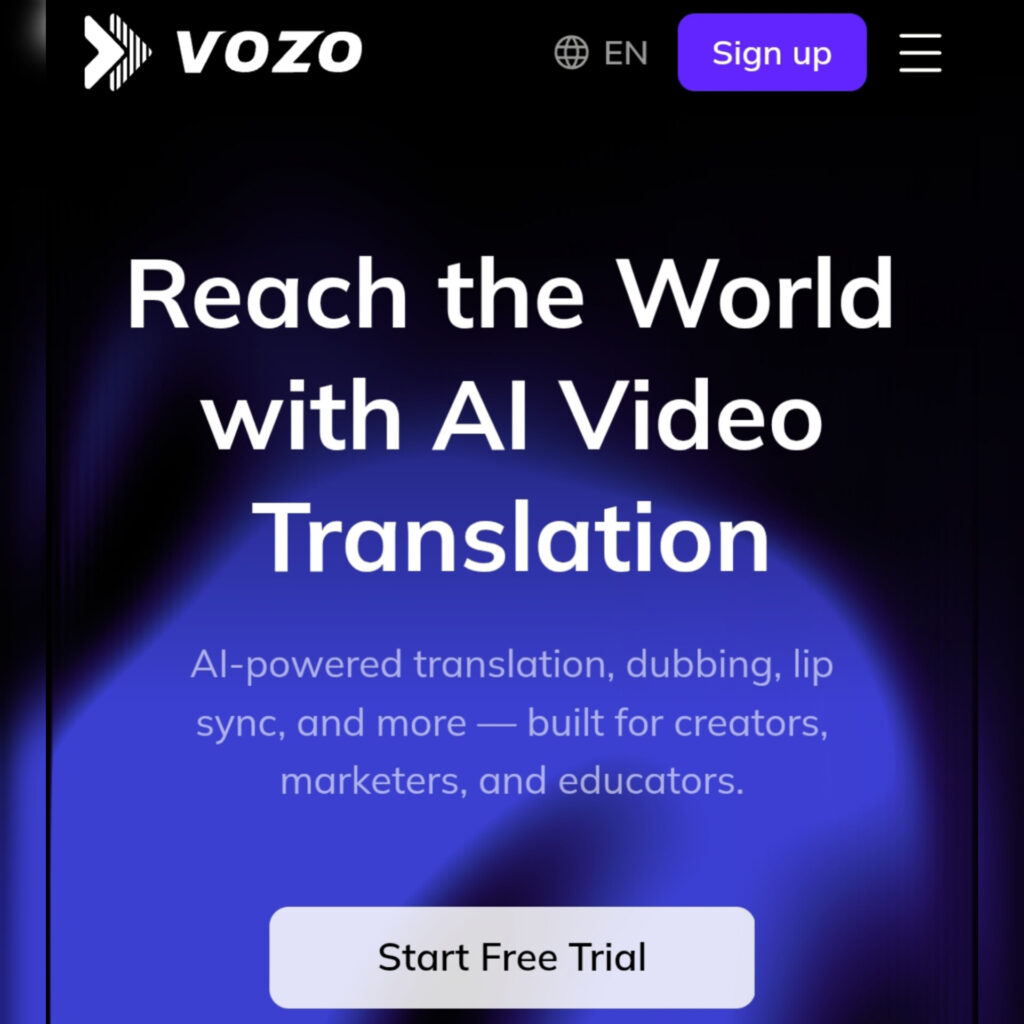
- Create a Vozo AI account
- Upload your video
- Select a target language
- Choose voice and tone
- Generate translation and lip-sync
- Download and publish
Final Thoughts
Vozo AI is one of the most useful tools for creators who want to scale internationally without recording content multiple times. If you’re producing videos and want access to foreign markets, multilingual dubbing powered by Vozo AI might be the fastest shortcut you take this year.
FAQ
Is Vozo AI free?
No, Vozo AI uses a credit-based pricing system.
Does Vozo AI support multiple languages?
Yes — Vozo AI currently supports major global languages, with more in development.
Is Vozo AI accurate?
Its accuracy is excellent for short-form and social content, making it ideal for creators who publish frequently.