How to upload YouTube Shorts without getting stuck at 0–200 views? The truth: most “dead on arrival” Shorts aren’t about the content itself—they’re uploaded in a way that never gives the algorithm a fair signal. Below is a human-tested, mobile-first workflow that fixes the weak links (upload method, audio, thumbnail, title, description/keywords, tags, visibility, timing) so your Short actually lands in the Shorts feed.
Table of Contents
- Why Shorts Uploads Fail (Even When the Video Is Good)
- Prerequisites (1-Minute Health Check)
- Mobile Upload Workflow (YouTube App → YT Studio)
- Viral Sound or Original Audio? How to Choose
- The Custom Thumbnail “0.3s Frame” Trick
- Titles That Survive the Scroll (2-Word Rule)
- Description & “Keywords” That Actually Help SEO
- Tags & Hashtags: What Matters, What Doesn’t
- Unlisted → Public: The Safe Two-Step
- Best Time to Upload (And When to Ignore It)
- 48-Hour Launch Checklist
- If You See 0 Views: Throttling Debug
- FAQ
- Final Thoughts
Why Shorts Uploads Fail (Even When the Video Is Good)
Your Short may be perfectly fine, but the upload pipeline sends mixed signals: wrong upload surface, no sound mapping, weak first two words in title, missing description keywords, broken thumbnail, or you went straight to Public with mistakes baked in. Fix the pipeline first; the same Short can perform 2–5× better with clean metadata and a stable upload path.
Prerequisites (1-Minute Health Check)
- Update the apps: YouTube + YouTube Studio from your app store before every upload (features like sound, thumbnail, visibility toggles change often).
- Aspect ratio & length: 9:16, 1080×1920, ideally 20–40 seconds for tight hooks and retention testing.
- Burned-in captions: 4–5 lines per 10 seconds max; keep lines ≤ 8–10 words.
Mobile Upload Workflow (YouTube App → YT Studio)
- Step 1 — Open YouTube app: Tap + → Upload a Short → pick your 9:16 clip → let it process → tap Done.
- Step 2 — Add sound (optional): Tap Sound → search a currently trending track in your niche. If your own voice is the hook, keep it and use a very low backing track (−20 to −24 LUFS below voice).
- Step 3 — Levels: Tap Adjust → ensure original audio isn’t muted; fine-tune so voice is clearly dominant.
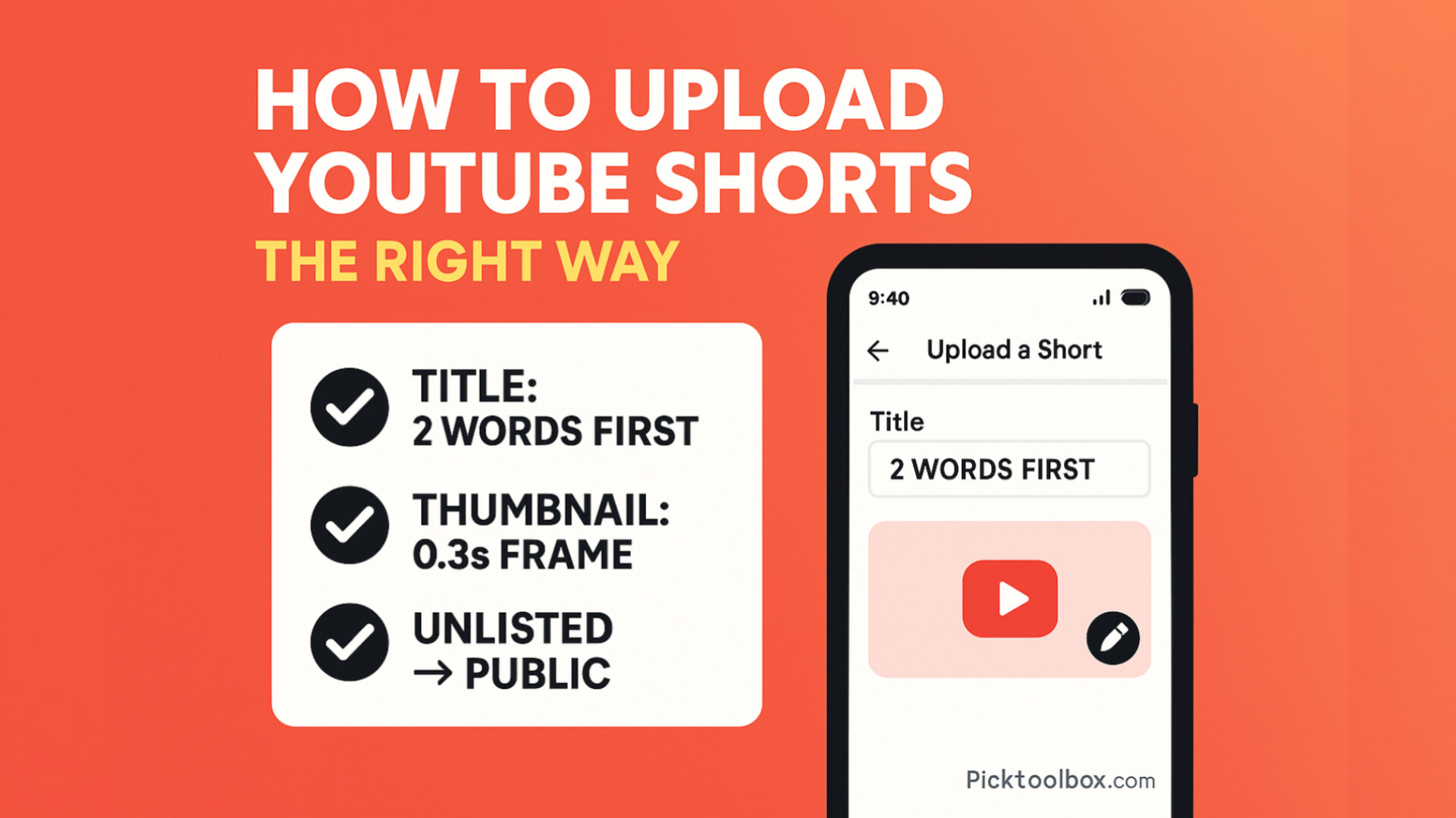
- Step 4 — Next: Tap Next → add custom thumbnail (see the “0.3s frame” trick below) → write title (2-Word Rule) → set Visibility = Unlisted → tap Upload.
- Step 5 — Open YouTube Studio app: Find the Unlisted Short → tap the pencil icon → add description (see next section), set category, toggle Remix on if you want derivative reach.
- Step 6 — Finalize: After checks, set Visibility = Public and Save.
Why not desktop browser? Desktop Chrome in “desktop mode” often blocks custom thumbnail picking and sound features for Shorts. The mobile app + YT Studio combo gives you the most complete control.
Viral Sound or Original Audio? How to Choose
- If your hook is verbal (e.g., “Stop doing this iPhone setting…”), keep original voice as the main track; add a soft beat only if it doesn’t fight speech.
- If the hook is visual (craft, gadget, hack): a currently trending track can boost discovery in some niches; track should fit the mood, not overwhelm the action.
- Consistency matters: Reuse a small “sound palette” across your channel so returning viewers instantly recognize your vibe.
The Custom Thumbnail “0.3s Frame” Trick
- Add a 0.3s still frame at the end of your Short that shows a clean, bold visual (face + object, arrow, or big claim).
- On upload, tap the pencil icon and pick that exact frame as your thumbnail.
- Use high contrast; big 2–4 words that match your first two words in the title (see below).
Titles That Survive the Scroll (2-Word Rule)
People skim only the first two words while scrolling. Front-load them with exact context, often in ALL CAPS for scannability.
- Pattern:
KEYWORD KEYWORD+ payoff. Examples:- IPHONE 16 Hidden Feature 🔒
- GARDEN HACK That Actually Works
- CAPTION STYLE That Boosts AVD
- Keep total length short (max ~52–60 chars). Add
#shortsat the end only if you keep titles clean.
Description & “Keywords” That Actually Help SEO
Few people read descriptions, but YouTube’s ranking systems do. Use one crisp sentence + 5–6 comma-separated keywords.
- 1-line summary: “Unlock the secret iPhone 16 feature that improves battery readouts.”
- Keywords (comma-separated): iphone 16 hidden feature, iphone settings, battery tips, ios 18, iphone hacks, apple tricks
- Hashtags (4–5):
#shorts,#viralshorts, plus 2–3 niche tags (e.g.,#iphone16,#ios18).
Note: Avoid dumping 10–20 hashtags—looks spammy and adds no lift. 4–5 is the sweet spot.
Tags & Hashtags: What Matters, What Doesn’t
- Tags: Minimal impact in Shorts. Add 2–4 relevant (e.g., shorts, viral shorts, your niche + channel name).
- Hashtags: Place 1–2 in title if it doesn’t hurt readability; otherwise keep them in the description (4–5 total).
Unlisted → Public: The Safe Two-Step
- Upload as Unlisted first → fix title/desc/thumbnail/sound in YT Studio → then switch to Public.
- Turn Remix ON if you want others to reuse your video/audio (can expand reach in some niches).
- Optionally hide like counts early (to avoid social proof drag); turn back ON when CTR/AVD stabilize.
Best Time to Upload (And When to Ignore It)
- Weekend window: Friday evening → Sunday afternoon tends to be scroll-heavy.
- Off-hours test: Some channels see lift around 1–2 AM (lower competition + global feed). Test it; keep the winner time in your content calendar.
- Audience first: If your viewers are US + EU mixed, two daily windows can work (e.g., 9 AM ET and 7 PM CET on different days).
48-Hour Launch Checklist
- Apps updated (YouTube + Studio). 9:16, 1080×1920, 20–40s. Captions burned-in.
- Sound choice fits hook (or keep clean voice-first).
- Thumbnail: 0.3s end-frame added; high contrast; 2–4 words.
- Title: first two words in ALL CAPS, clear promise, ≤ 60 chars.
- Description: 1-line summary + 5–6 keywords (comma-separated) + 4–5 hashtags.
- Tags: 2–4 (shorts, viral shorts, niche + channel).
- Visibility: Unlisted → review in Studio → switch to Public at test time.
- Track CTR/AVD by hour; swap thumbnail or first line if CTR < 1.2% after 6–8 hours.
If You See 0 Views: Throttling Debug
- Pipeline check: Did you upload via mobile app? Do you have a proper thumbnail? Is the first 2–3s visually readable with captions?
- Title audit: Are the first two words the exact context? Remove filler like “How to” if it hides the subject.
- Sound conflict: If voice is key, lower music; if visual is key, try a trending sound version (A/B two uploads a week apart).
- Thumbnail swap: Replace with a bolder, higher-contrast frame that matches the title’s first two words.
- Re-time the hook: Move the payoff earlier (≤ 2s). Cut silent/slow beats.
- Try a new window: Off-hour test once (1–2 AM) and one weekend slot; keep whichever wins CTR+AVD.
FAQ
- Do I need #shorts in title? Optional; helps categorization slightly. If it makes the title clunky, move it to description.
- Are tags important? For Shorts, barely. Add a couple; don’t sweat them.
- Can I upload from desktop? You can, but you’ll miss features (sound/thumbnail) on some setups. Mobile app + Studio is safer.
- Should I always use trending sounds? No. If your voice carries the hook, keep it clean. Test both.
Final Thoughts
How to upload YouTube Shorts the smart way is a repeatable pipeline, not a mystery: update apps, use the mobile workflow, lock a strong 0.3s thumbnail frame, front-load two powerful words in the title, add a 1-line description with searchable keywords, keep hashtags lean, publish in the right window—and track CTR/AVD for 48 hours. Do this consistently and you’ll stop guessing why a good Short got buried.